 Mac Explorer
 vs. Finder
Finder is the file manager built into macOS. Mac Explorer is an open-source file manager for working with folders side by side, combining batch rename rules, and searching indexed PDF and image text.
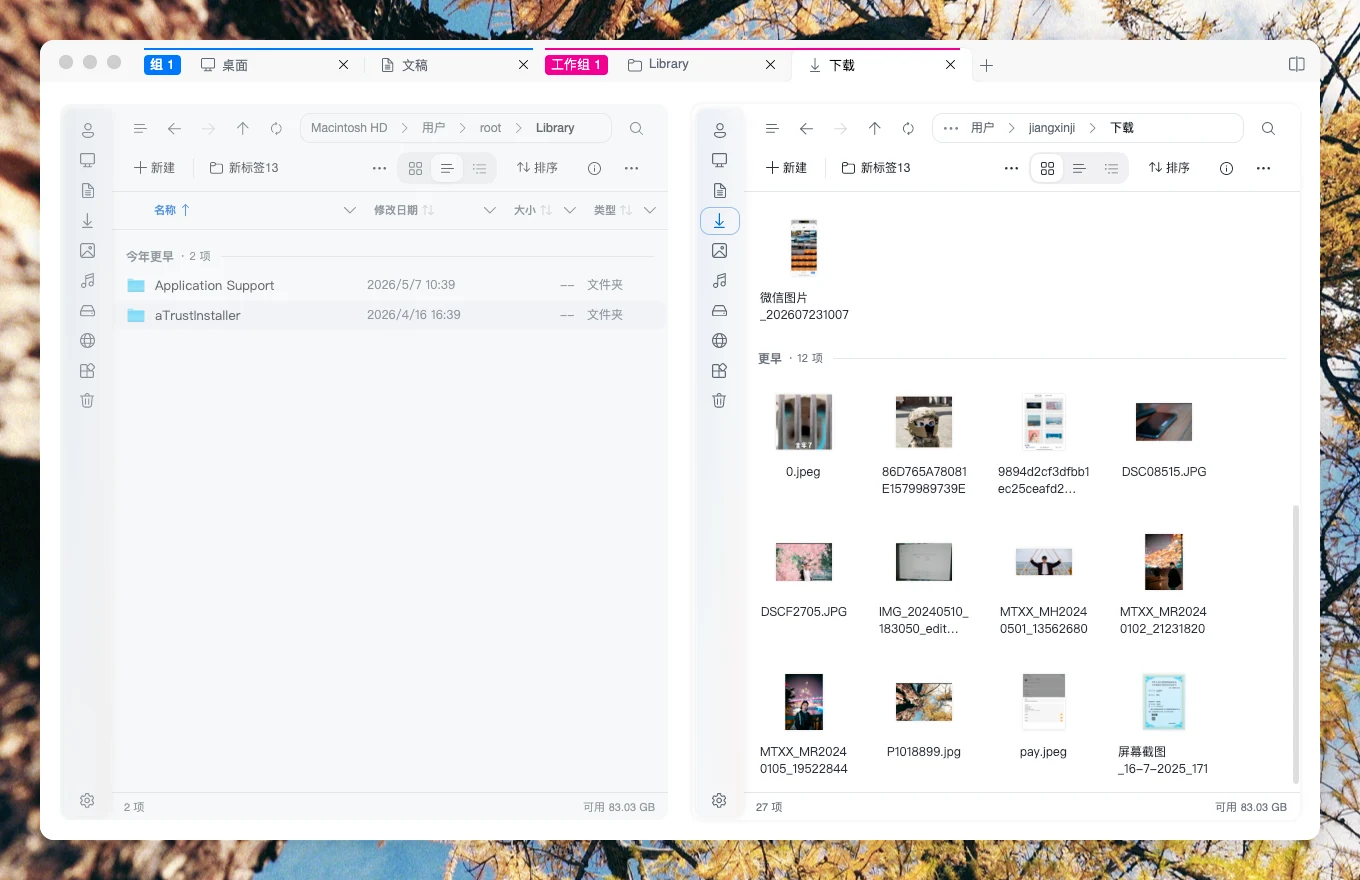
Work with folders side by side
Finder can open different locations in tabs or separate windows. Mac Explorer's split view puts multiple folders in a single workspace. When organizing a project, you can open Downloads on the left and the archive on the right, then check both locations before moving files.
Batch rename files
Finder can replace text, add text, and apply a naming format. Mac Explorer can combine rules in order. For example, replace a camera filename prefix and then add a sequence number. Preview each original and new name, check for conflicts, and exclude individual files before applying.
Search files and check compatibility
Mac Explorer can search indexed PDF text and text already recognized in images. That helps when organizing scans, repeating a naming workflow, or checking two folders frequently. Mac Explorer requires macOS 14 or later and supports Apple silicon and Intel Macs.